After every match and every practice session, the app shows figures about your game. Here you'll learn what they mean and which values really matter for beginners.
The key figures
| Value | Meaning | Example |
|---|---|---|
| 3-dart average | Average points per visit of three darts | 45.3: a good 45 points per visit on average |
| First 9 | Average of the first nine darts of a leg | Higher than the average, because darts at the double come at the end |
| Checkout rate | Share of darts at a double that won the leg | 2 of 8 = 25 % |
| Highest finish | The highest score you've checked out in one visit | 81 with T19, D12 |
| Best leg | The fewest darts for a won leg | 21 darts for 501 |
| Tons, 140+, 180 | How often your visit scored 100, 140 or 180 points | 3 × 100+ |
For beginners the average is the most important figure. It's also shown on your player card during the game. A casual player is usually between 30 and 50, a league player around 70, pros above 90.
Statistics after the match
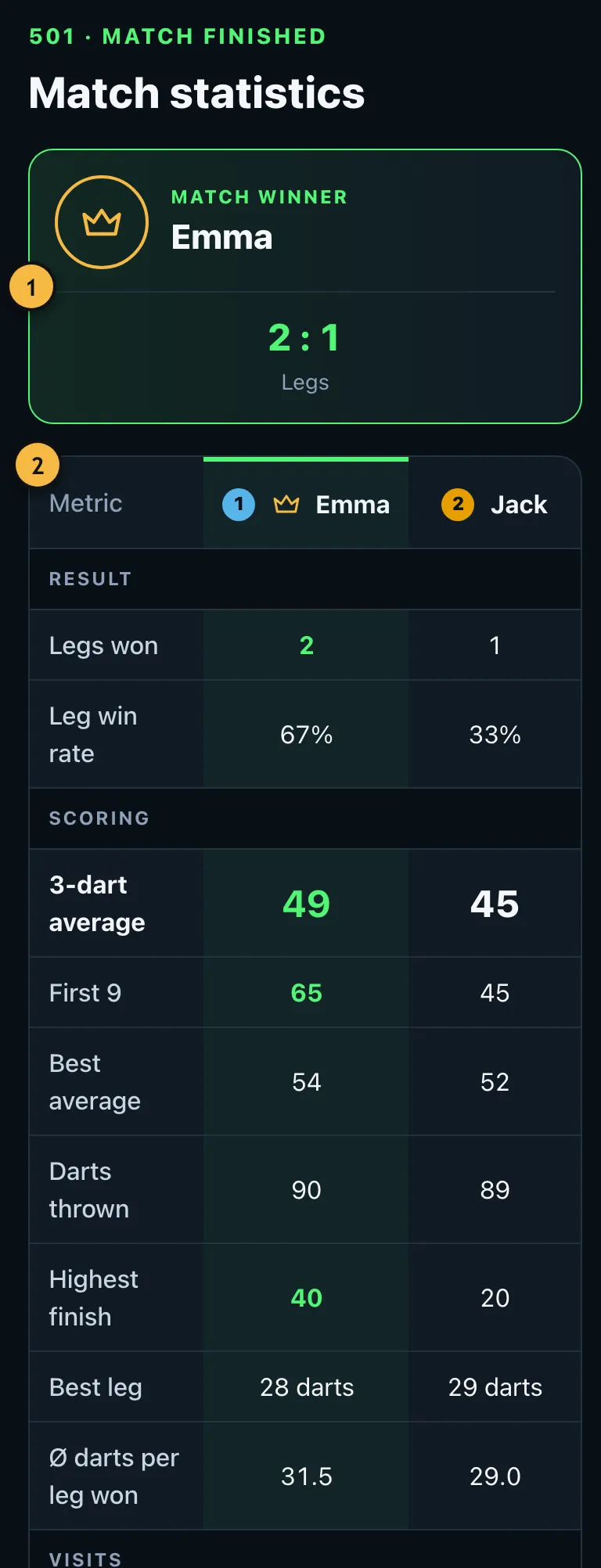
- Result and winner.
- Both players' figures side by side.
Details for pros
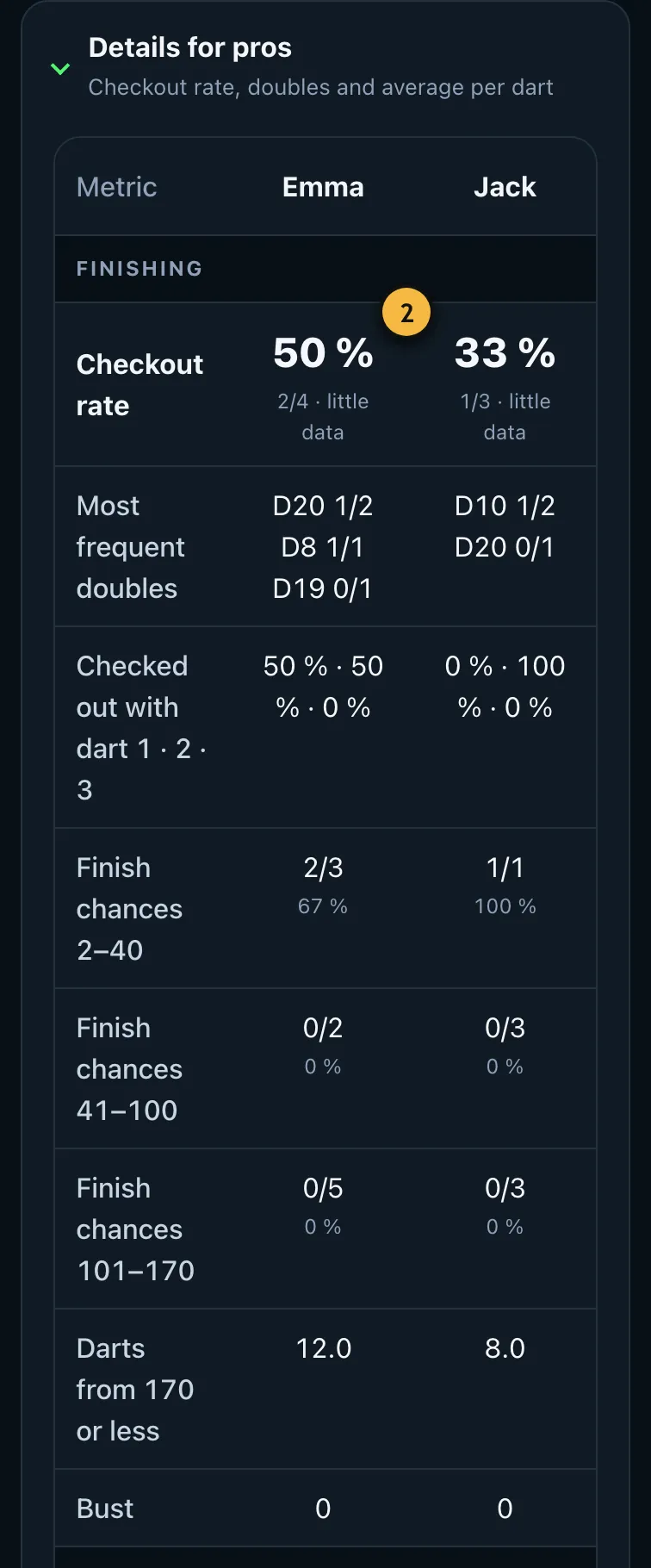
- Your checkout rate: hits and attempts at a double. "little data" means the rate still varies a lot.
- The doubles you threw at most often, with hits and attempts.
Here a dart counts as an attempt at a double if the score could be finished with exactly that dart, as in TV statistics. Further down are your finishing chances by score range and your average for the first, second and third dart of a visit.
Hit heatmap
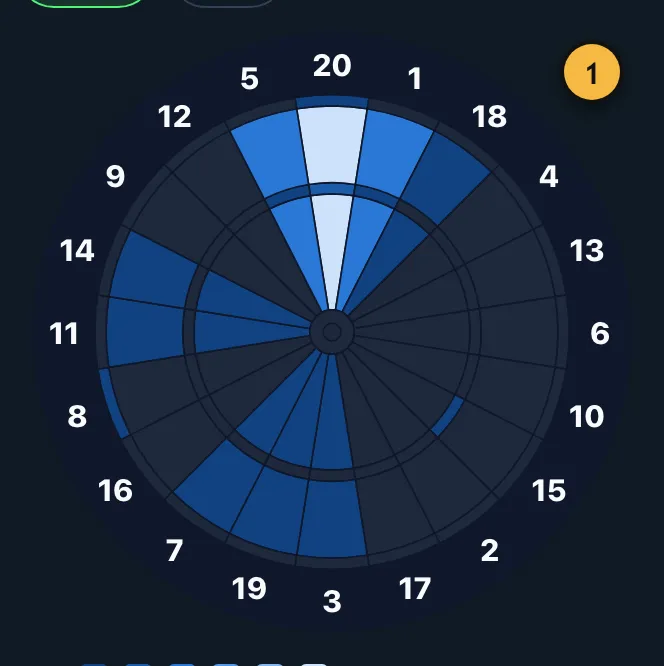
- The stronger the colour, the more often you hit that segment.
The heatmap shows which segments you hit. With board input you even see the exact position of every dart. If you aim at the 20 and often hit the 5, you're scattering to the left. That's a hint for your practice, not a judgement.
Why are some values missing?
The app only shows what your input really provides. When you enter totals, it doesn't know your individual darts. Then there's no heatmap and no average per dart, and the checkout rate only comes from your answers to the double question. If you want accurate figures, tap in every dart.
Figures from just a few games vary a lot. One bad evening says little. Look at the trend over several weeks under Progress instead.
History
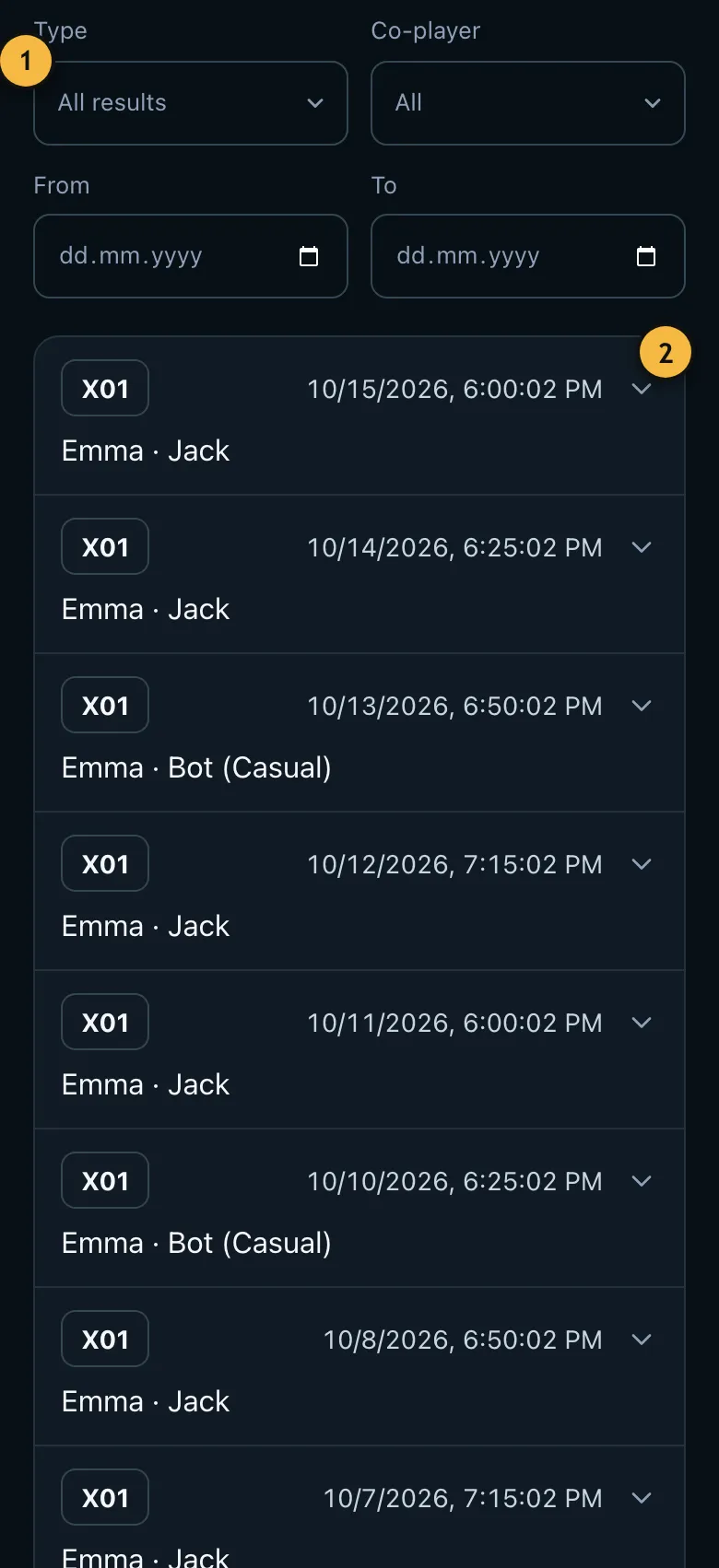
- Filters for games, practice and more.
- Each entry with date and the other players. Tap it to expand the full statistics.
Under Statistics you'll find every finished game and practice session. For free you see the last 30 days. Older results aren't deleted, just hidden. With Pro you see your whole history.