Darts rules look complicated at first: a double to finish, busting, doing maths under pressure. Beginner mode takes care of that. With one tap it sets everything up so you can simply start throwing.
What beginner mode changes
- 301 instead of 501: A leg is shorter and over sooner.
- Single out: You may finish on any segment, not just a double.
- Big numbers: Your score is easy to read even from the oche.
- Checkout tips: The app suggests which segments will finish your leg.
- Calculation aid: After every dart you see the sum behind your score.
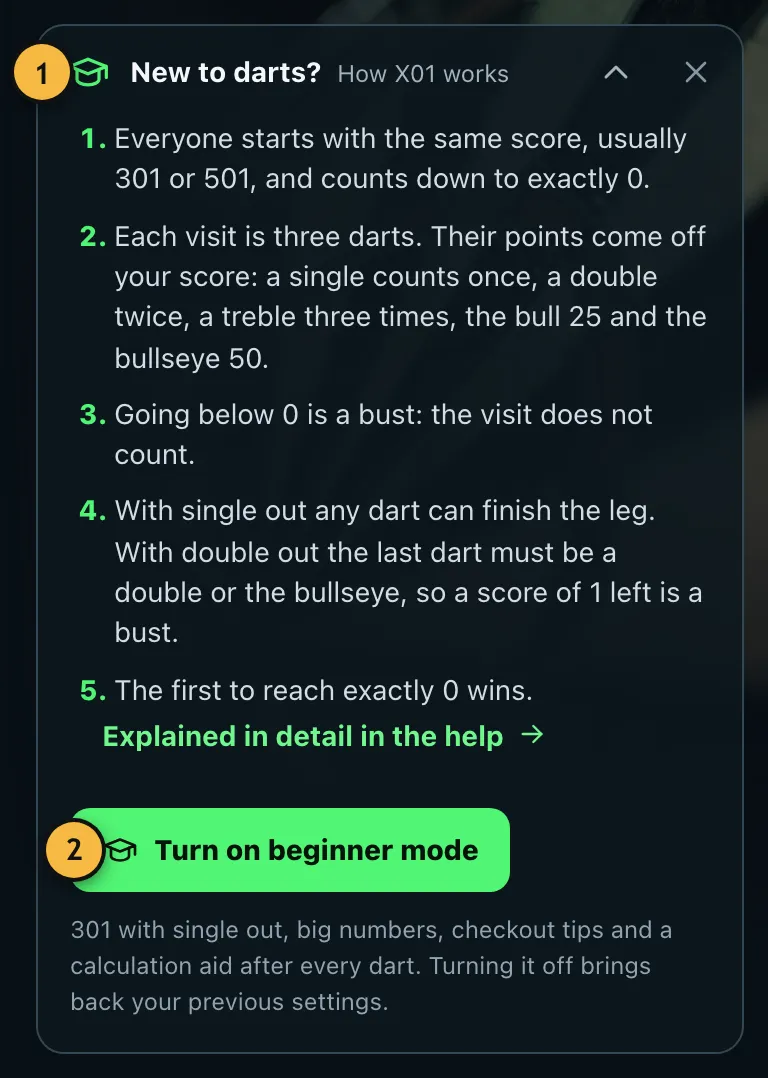
- Tap "New to darts?" to read the rules in five sentences.
- Turns on beginner mode with a single tap.
Turning it on and off
- On the home page, tap "New to darts?".
- Tap "Turn on beginner mode".
- Start the game as usual.
You'll also find the switch under "More options" in the match settings. To turn it off, tap "Turn off" there or in the green note on the home page.
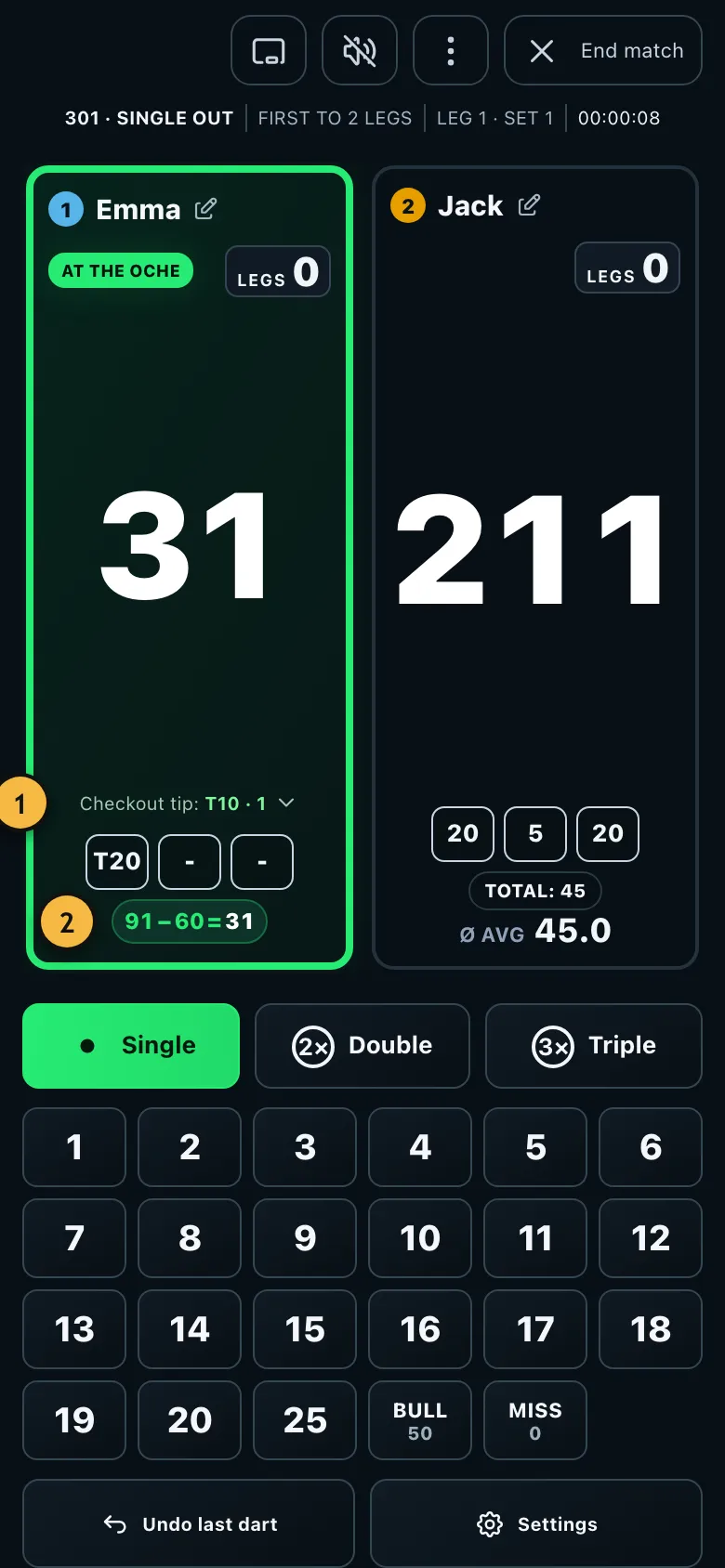
- The checkout tip shows which segments would finish your leg.
- After every dart, the calculation aid shows how your score changes.
When you turn it off, the app restores your previous settings. So you lose nothing by trying the mode.
When should you move on?
When 301 is over too quickly for you or you play regularly, try 501 with double out. That's how it's played in clubs, pubs and on TV. You can keep using the checkout tips.