An account is optional. You can use the app fully without one: all games, all exercises, bots and the statistics of your match. Your data then stays on your device.
What is an account good for?
- Your results are backed up, even if you lose your phone.
- If someone else scored a match with you, you take the result into your profile with a QR code.
- You can join a play group.
- With Pro, your data syncs between phone, tablet and browser.
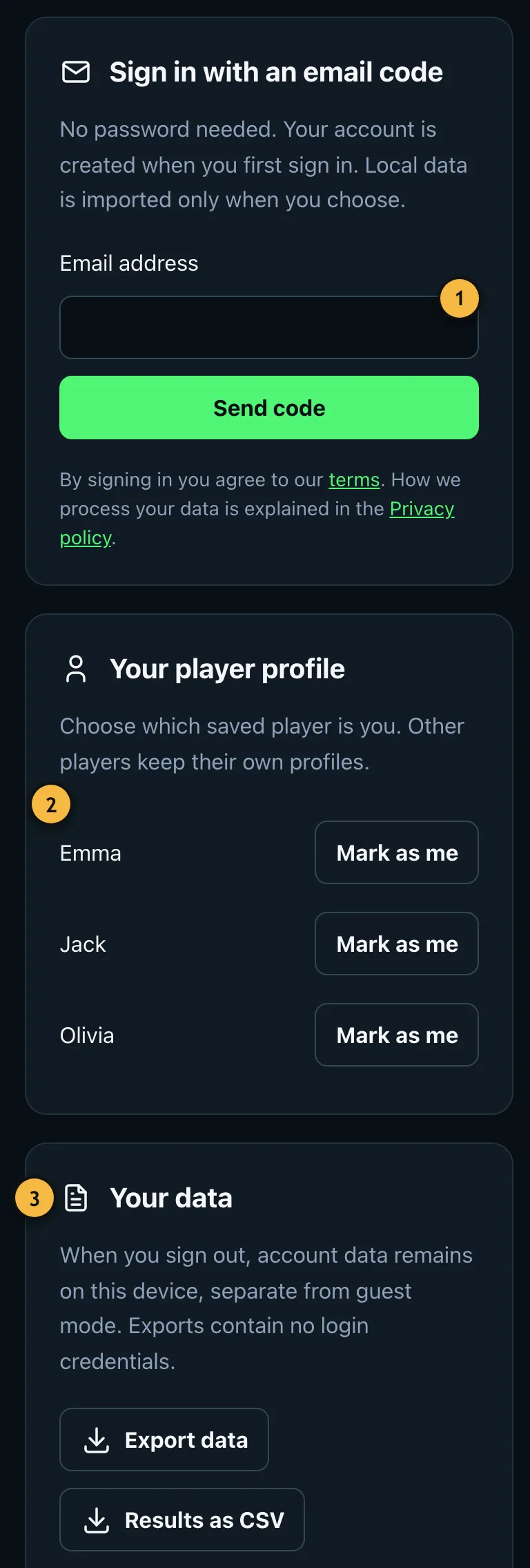
- Sign in with a code by email, no password needed.
- Choose which saved player you are.
- Export and import your data, even without an account.
Sign in
- Open Back up & sync data in the menu under "Sign in".
- Enter your email address and tap "Send code".
- Enter the code from the email. The first time, this creates your account.
- The app asks whether you want to keep your previous results. If you choose "Start with an empty account", they stay in guest mode on the device and can be taken over later.
Which player are you?
Under "Your player profile", mark the player that is you. The app then assigns your results to you, for example for your progress and the bot with your average. Other players on your device keep their own profiles.
Sync
With Pro, new results reach all your devices. Without Pro, new results stay on the device you play on. If two devices changed the same entry differently, the app asks which version you want to keep. Nothing is overwritten automatically.
Signing out deletes nothing. Your account data stays on the device, separate from guest mode.