You reach the settings via the cog at the top right or in a game via "Settings" below the keypad. They apply to all games and are saved on your device.
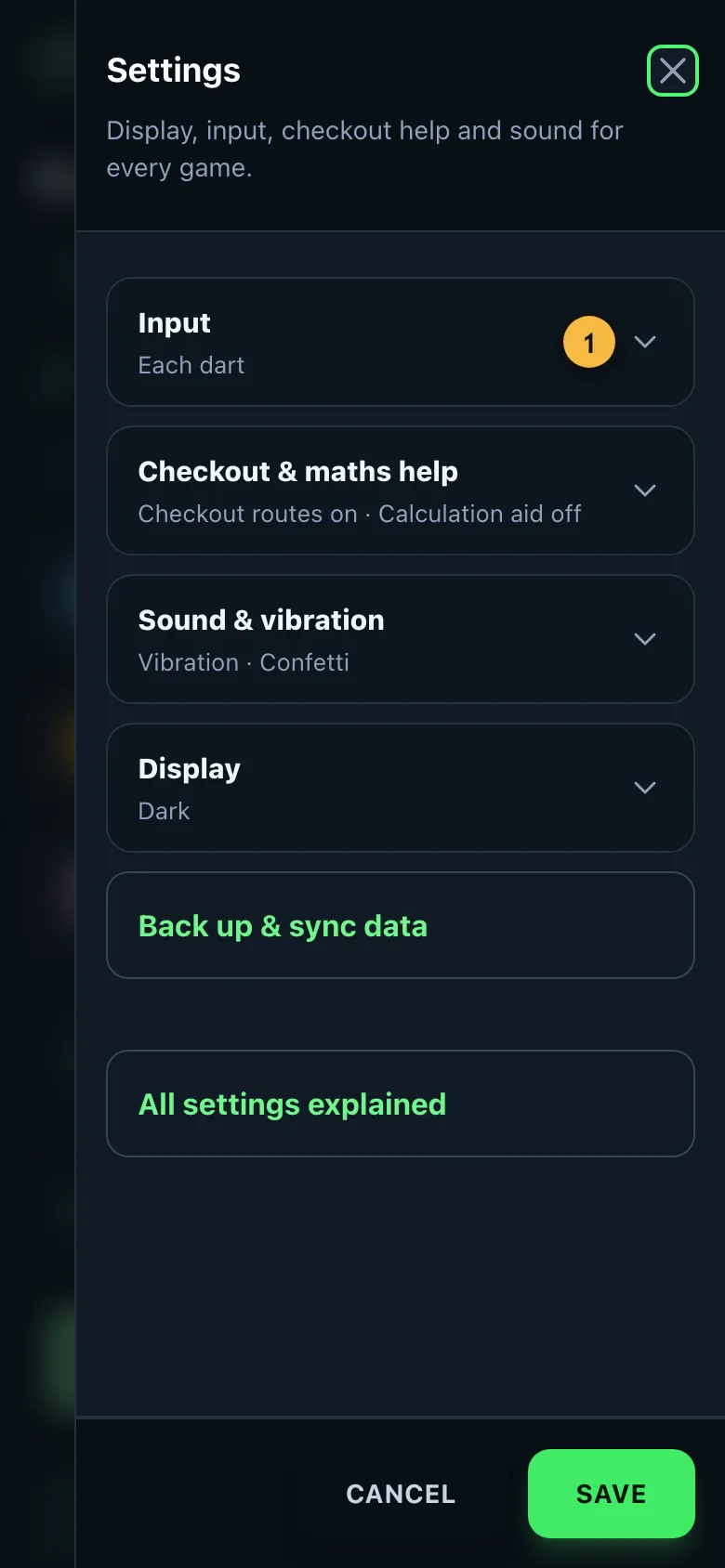
- Collapsed, each section shows what's currently set. Tap it to open it.
Input
- Each dart: You tap every dart. Gives the most accurate statistics.
- Total points per round: You only enter the total of the visit.
- Ask for darts at a double: When entering totals, the app asks how many darts went at a double so that a checkout rate can be calculated.
- Quick scores: The six total buttons above the input field.
- Tap on the board: A board instead of number keys.
- Show the push-to-talk button: Call your darts by voice.
Details under Entering darts and Board and voice.
Checkout & maths help
Here you turn the checkout routes, the favourite double and the calculation aid on or off. More under Checkout routes and calculation aid.
Bot
"Show the bot's darts on a board" shows a small board during a bot's visit, on which you see its darts land.
Sound & vibration
- Caller: A voice calls visits, checkouts and wins, just like on TV. In English, or in German when the app is in German.
- Call scores / call checkouts: Chooses what the caller says, such as "You require 40".
- Tones: Short sounds for input, busts and wins.
- Vibration: A short vibration for busts, 180s and won legs.
- Confetti and animations: For 180s and wins. If "Reduce motion" is turned on in your system, they always stay off.
You can also turn the caller on and off in the game with the speaker icon at the top.
Display
- Theme: Light, dark or automatic based on your device. You can also switch quickly with the sun or moon icon at the top.
- Big numbers: A larger score and more contrast, easy to read from the oche.
"Save" applies your changes, "Cancel" discards them. A running game continues exactly where it was after closing.