You can tap in every dart or just the total of your three darts. Both ways are equally valid. You can switch at any time in the settings under "Input", even in the middle of a game.
Each dart (recommended)
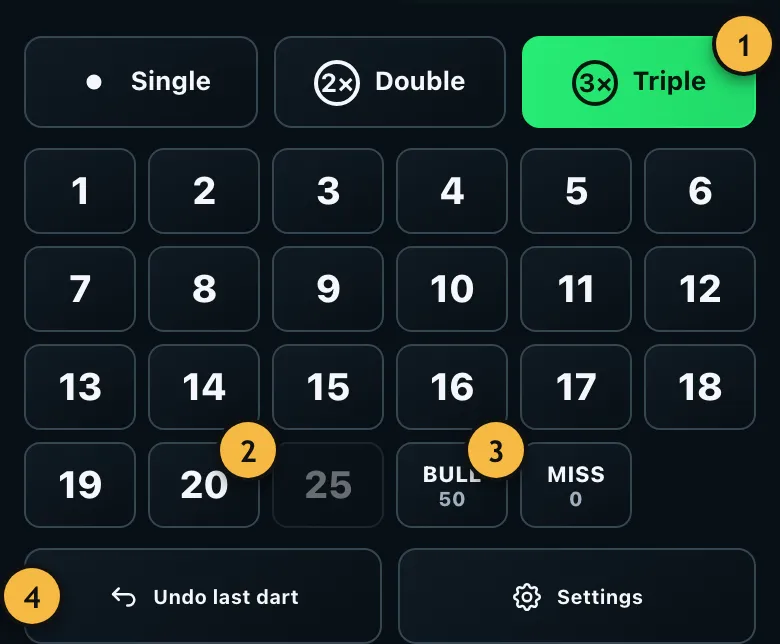
- Choose the multiplier first: single, double or triple.
- Then tap the number. After each dart the selection jumps back to single.
- Bull is the bullseye worth 50 points, 25 is the green single bull. Miss stands for a dart without points.
- Takes back the last dart.
You hit treble 19, single 19 and a miss. You tap "Triple", "19", then "19" and "Miss".
The advantage: the app knows every single dart. That gives more accurate statistics, such as your checkout rate, your first 9 and a hit heatmap. It also notices immediately when you've checked out.
Total points per round
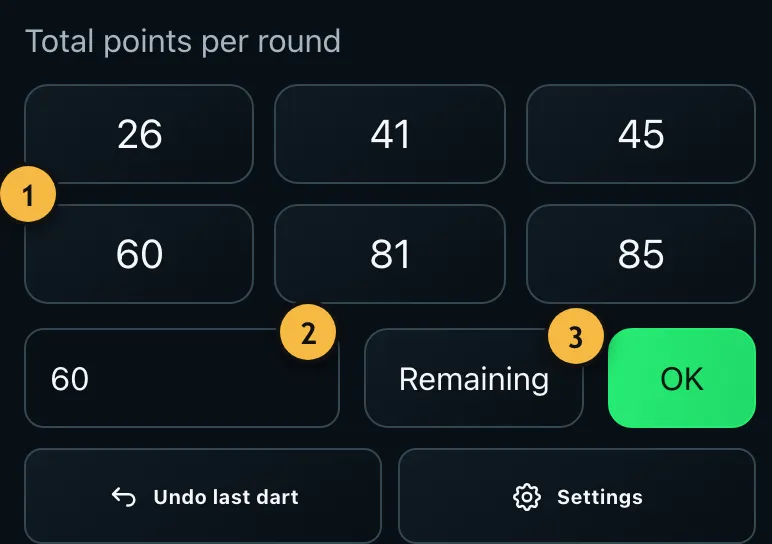
- Quick scores for common totals. Press and hold to change one.
- Type the total of your three darts and confirm with "OK".
- "Remaining" lets you enter what's left after the visit instead of the points.
This is how many league players write on the chalkboard: you add up the three darts yourself and only enter the result. It's quicker, but the statistics are simpler. The app rejects impossible totals like 179 and tells you why.
Score left instead of points
Sometimes it's easier to say what's left. If you had 301 and see 220 on the board after the visit, tap "Remaining" and enter 220. The app works out the 81 points itself.
The double question
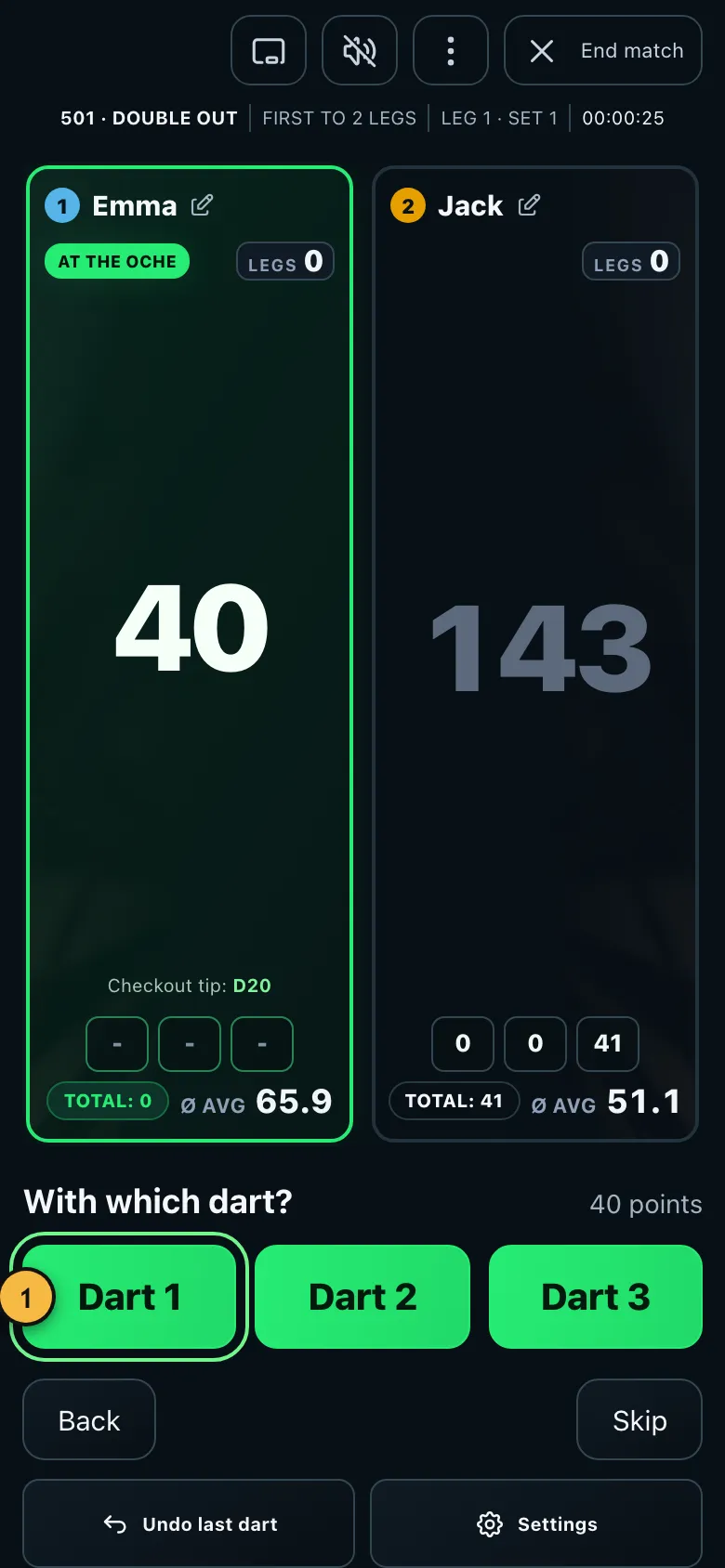
- After a checkout the app asks which dart you finished with. Answering is optional.
With totals, the app doesn't know how many darts went at a double. That's why with double out it asks briefly from 50 left and after a checkout. Your answers produce your checkout rate. If you don't want that, turn off "Ask for darts at a double" in the settings.
You can adapt the six quick scores to your game: press and hold a value during a game and enter a new one. Only totals that three darts can score are allowed.
Other ways
You can also tap directly on a drawn board, call out your scores or score with the keyboard on a PC. That's covered under Tapping the board, voice and keyboard.