Once the last leg is won, the app shows the match statistics. The figures for each player are side by side.
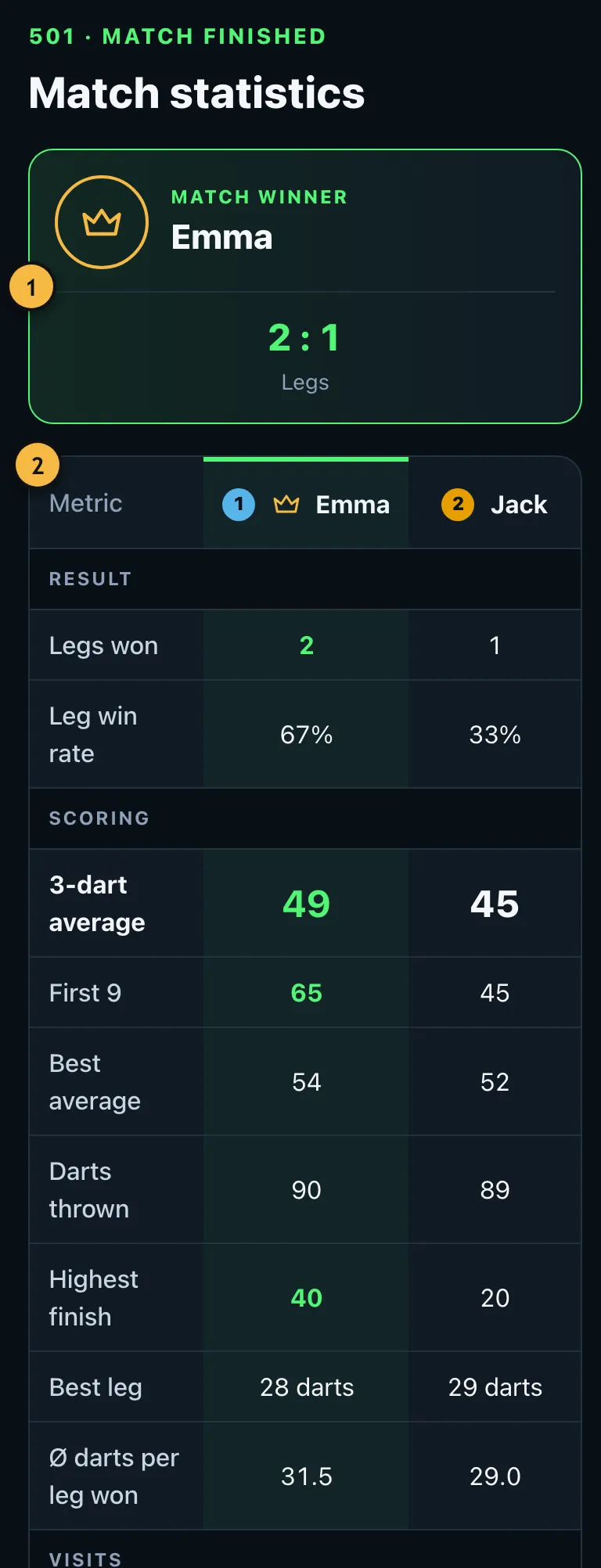
- Who won and how many legs each player took.
- The key figures compared. The statistics article explains what they mean.
Leg by leg
Below that you see every leg: who won it, with how many darts and with which checkout. For lost legs it shows the score that was left.
Details for pros
Expand "Details for pros" to see your checkout rate, your hits on the individual doubles and your average per dart. If you entered each dart, the hit heatmap is there too.
Sharing the result
"Share as image" creates a picture of the result that you can send by messenger.
Result for co-players
If someone played with you on your phone, they can take the match into their own profile. The app shows a QR code for each other player. Whoever scans it signs in and has the result in their statistics. Each code works once and only for a limited time.
Playing on
"Start a new game" takes you back to the player selection, where your players and settings are ready. A wrong winning dart can be corrected with "Take back last dart".
If you end a match early, the legs already completed stay saved in your history.