The scorer is right on the home page. You don't need an account and you don't have to install anything. Three steps are enough for a normal game.
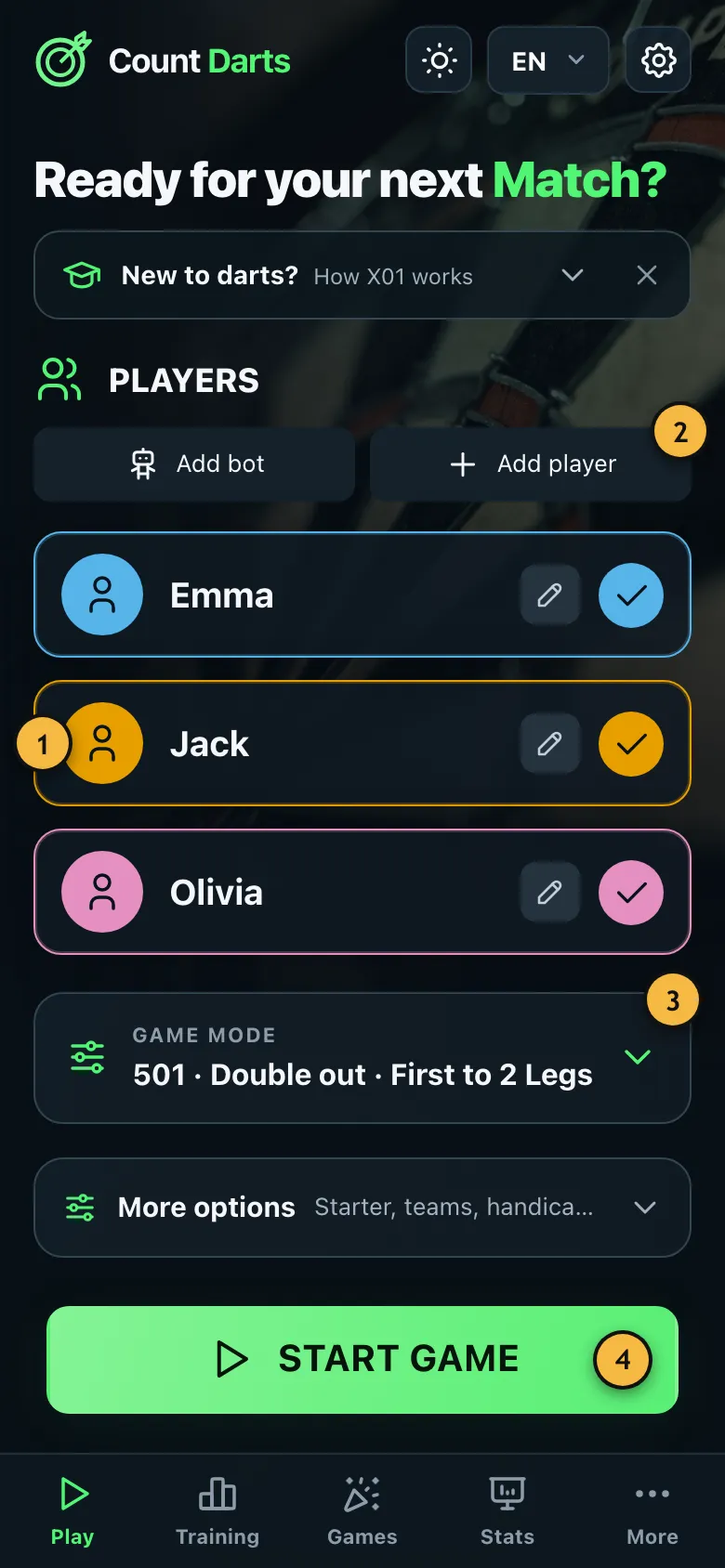
- Tap a player to select or deselect them. A tick shows who is playing.
- Add new players here or bring in a computer opponent.
- Starting score, legs and rules. The default of 501 with double out suits most games.
- Starts the game with the selected players.
How it works
- Choose players: Tap the names of everyone who is playing. The pencil lets you change a name.
- Start the game: Tap "Start game". The player with the green card throws first.
- Tap in your darts: After each dart, tap the segment you hit. For a treble, tap "Triple" first and then the number.
- Next player: After three darts the app moves on to the next player by itself.
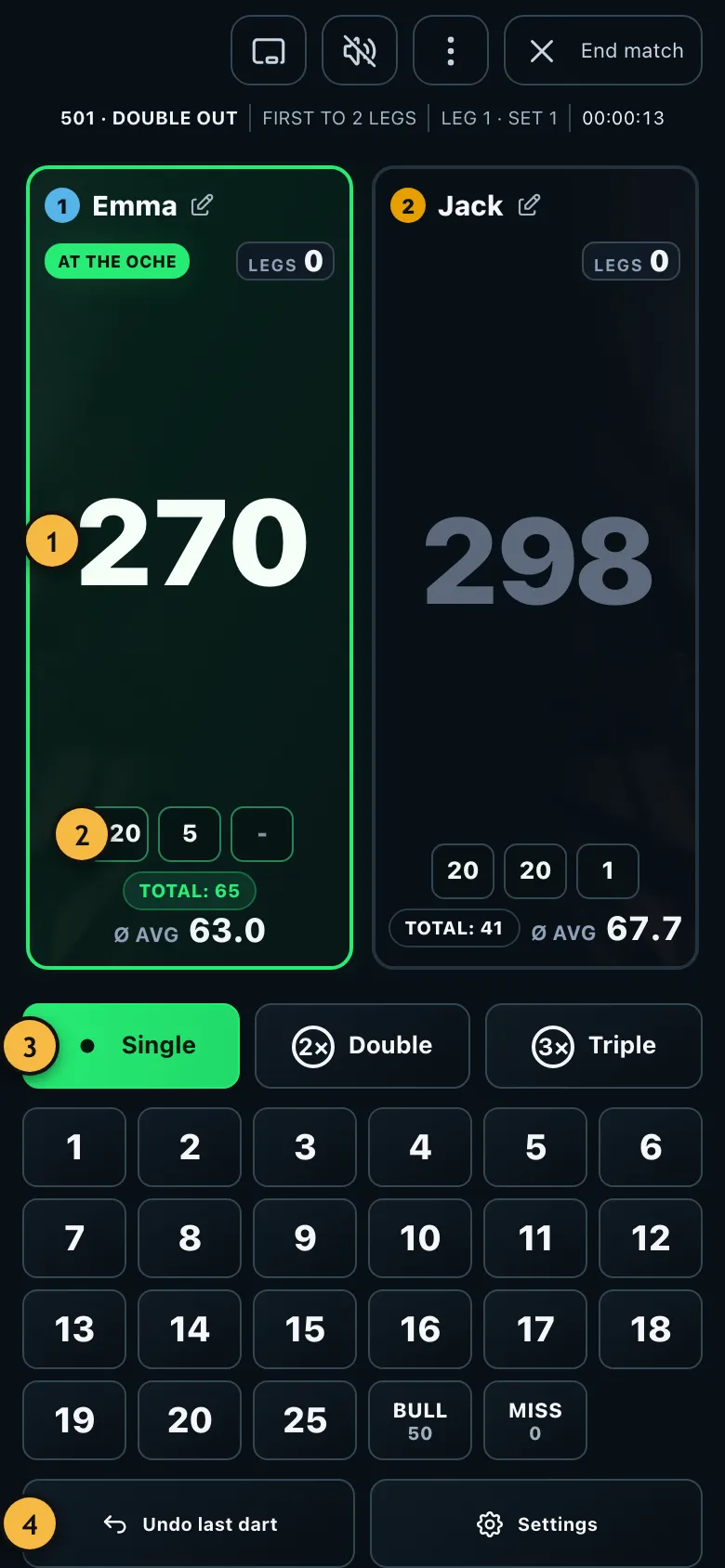
- The green card shows who is throwing. The big number is the score left.
- The darts of the current visit and their total.
- Choose single, double or triple first, then tap the number.
- Bull, bullseye and miss have their own keys. Mistyped? "Undo last dart" takes the dart back.
Emma hits treble 20, single 5 and single 1. She taps "Triple", "20", then "5" and "1". The app adds up 60 + 5 + 1 = 66 and subtracts the points from her score.
Never played darts before? Turn on beginner mode. It picks simpler rules and does every calculation for you.
How do you win?
In the standard game of 501, everyone starts with 501 points and counts down. Whoever reaches exactly 0 first wins the leg. The last dart has to be a double. You'll find the rules in detail under X01: the rules.