Besides the number keypad there are three more ways to enter your darts. They add to the normal input and can be switched off again at any time.
Tap on the board
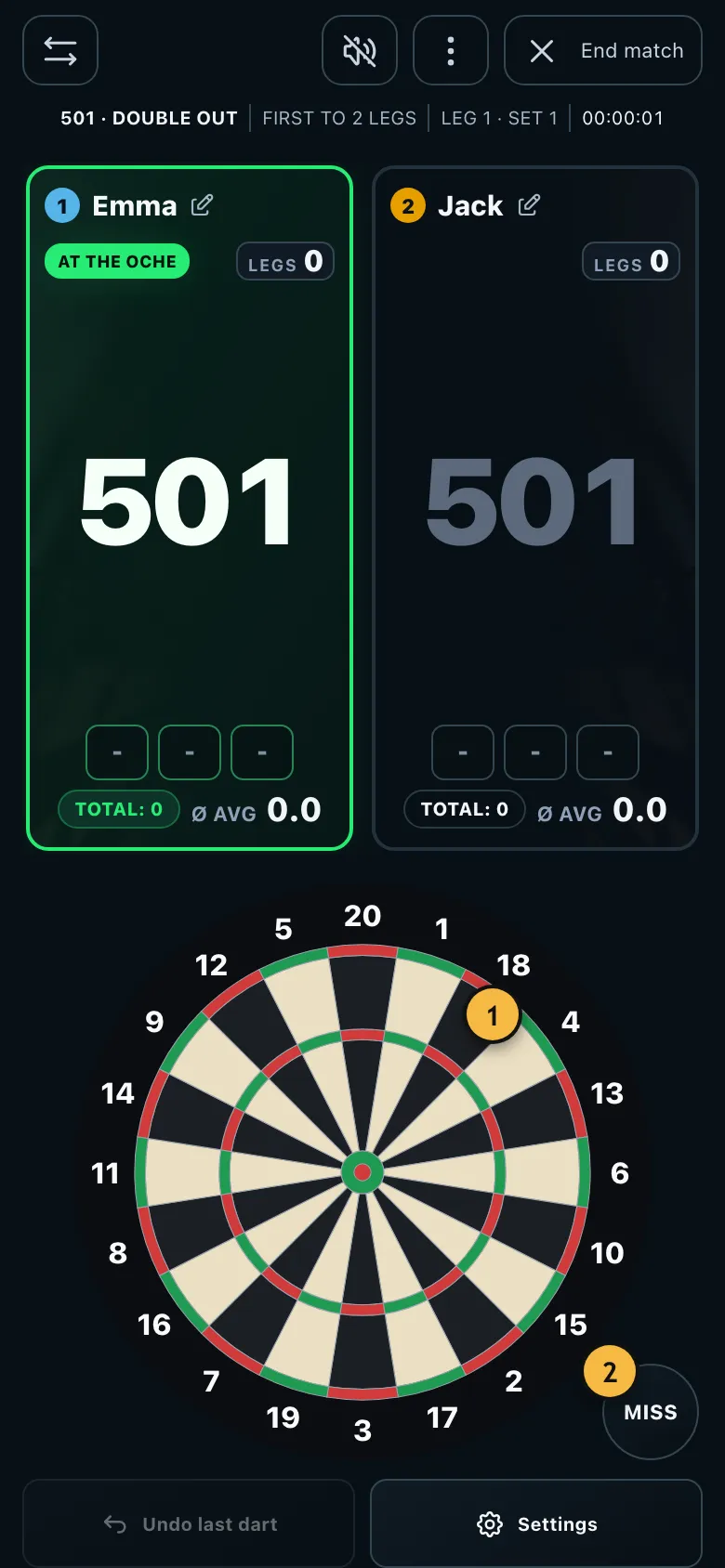
- Tap where your dart is. Holding shows a magnifier.
- For darts that miss the board, tap "Miss".
In the settings under "Input", turn on "Tap on the board". Instead of the number keys you then see a board. Hold your finger on the segment: a magnifier shows which segment you're on. When you let go, the dart is entered. If you drag your finger off the board, nothing is entered.
The advantage: the app saves exactly where the dart landed. In the hit heatmap you can then see whether your misses tend to go left, right, up or down.
Calling your darts
Under "Input", turn on "Show the push-to-talk button". A microphone button appears in the game. Hold it and say, for example, "treble 20", "one hundred", "remaining 40" or "undo". When you let go, the app shows what it understood and you confirm with a tap.
With "Apply clear results right away" you save yourself the confirming tap. Anything the app isn't sure about is still shown first.
Speech recognition is done by your browser and usually needs an internet connection. It is still marked as beta and doesn't work in every browser. If it isn't supported, the switch is missing.
Keyboard on a PC and tablet
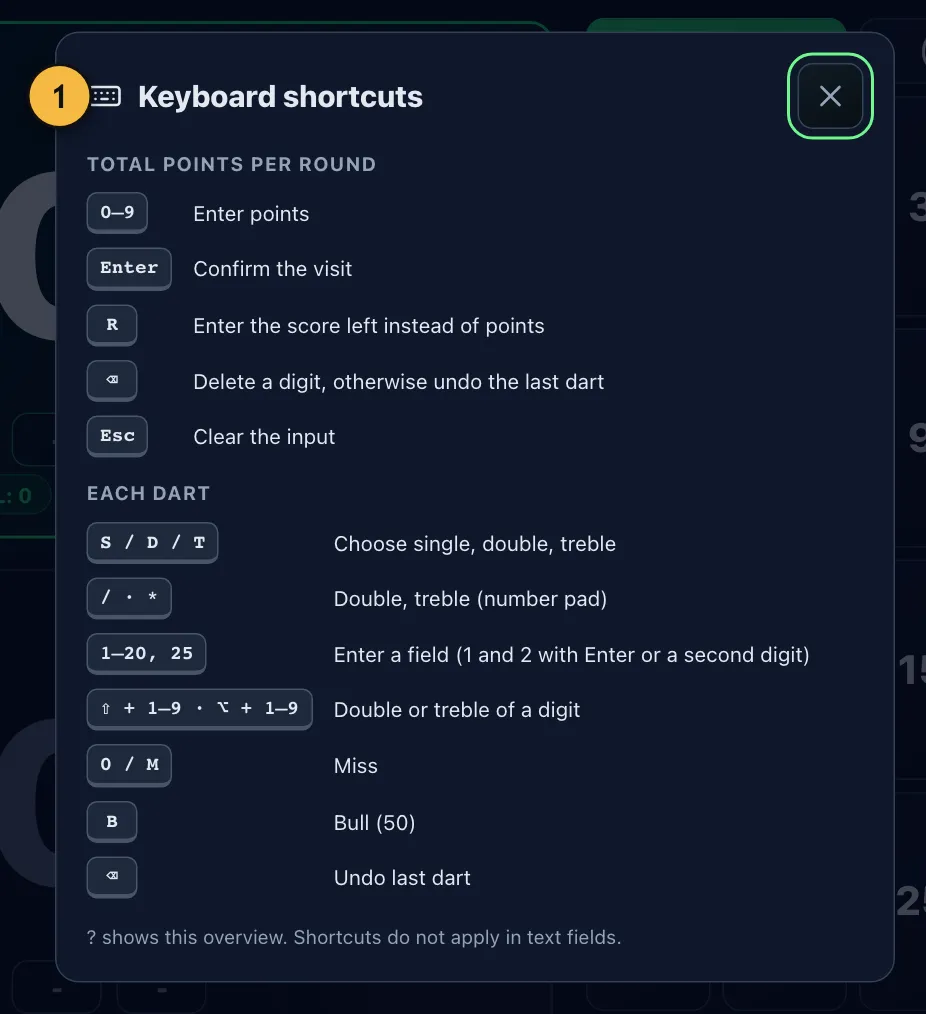
- The question mark key opens this overview at any time.
If there's a laptop or a tablet with a keyboard next to the board, you can score without a mouse. Press "T" for treble and type "20". "D" chooses double, "B" the bullseye and "M" a miss. When entering totals, type the points and press Enter. Backspace deletes the last dart.