Everyone mistypes. That's why every input in CountDarts can be corrected, even afterwards.
Taking back the last dart
Below the keypad, tap "Undo last dart". The last dart disappears and you enter it again. You can do this several times in a row, back into earlier visits. When entering totals, the button takes back the last visit.
Correcting an earlier visit
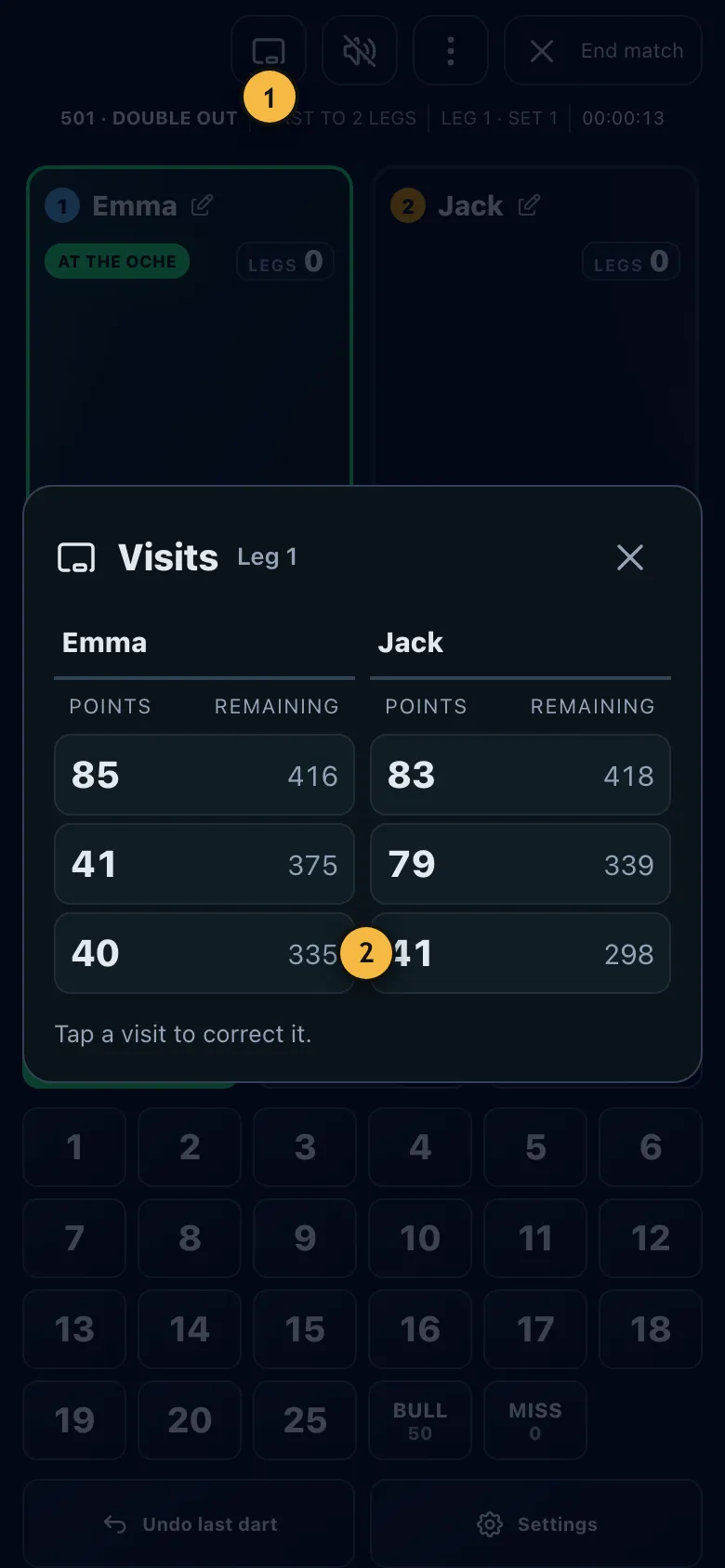
- Opens the list of all visits in the current leg.
- Tap a visit to correct it.
- In the game, tap the chalkboard icon "Visits" at the top, the first icon in the bar. It appears after the first visit of a leg.
- Tap the wrong visit.
- Enter the correct darts or the correct total and tap "Save".
The app recalculates all later visits automatically. If a later visit becomes a bust or a checkout as a result, it tells you. Corrected visits are marked in the list.
Three visits ago, Jack entered 45 instead of 85. He opens the visits, taps the 45, changes it to 85 and saves. His score is now 40 points lower and his average is right again.
The winning dart was wrong?
You can take back the last dart even after a won leg or match. The "Leg won!" note and the match statistics have a "Take back last dart" button for that. The game then continues exactly where it was.
Resetting players or the game
- Wrong name: Tap the pencil next to the name.
- Wrong starting player: Change it with the arrow icon at the top left before the first dart of the leg.
- Start over: In the menu with the three dots, "Reset game" resets all points of the match.
After your correction a bot simply throws its darts again. What gets removed is always your input and everything that came after it.